
Arar - ComicViewer/TextReader
마루치아라치Comics
4.831.00 Reviews
- Version
- 2.16.5
- Installs
- 10.00K
- Age Rating
- Everyone
Screenshots
Our Review of Arar - ComicViewer/TextReader
 Analysis by Appyee
I judge a reading app by what happens after I pick a file: can I settle in quickly, keep my place, and read comfortably in the situations where I actually use my phone? That is the lens I bring to Arar, a paid comics and reading app from 마루치아라치. Its appeal is the chance to handle illustrated pages and text in one place, rather than treating each kind of reading as a separate task. The trade-off is that a flexible file reader asks you to bring and manage your own material; it is not the same experience as opening a comics service built around browsing a ready-made catalogue.
Reading starts with your files, not a catalogue
That difference matters most when connectivity is involved. With a catalogue-based comics app, the network is often part of discovering, loading, or streaming what you want to read. Arar is framed around opening comics, text, PDFs, and EPUBs, so the practical first question is whether the document you want is already accessible on your device or needs to be obtained elsewhere. I would think of it as a reader for material you bring to it, not as a place to search for new series or subscribe to a feed.
In everyday use, this can make a reading session feel pleasantly direct: find a file, open it, and concentrate on the page. It also means a weak connection can interrupt the steps before reading even begins if the file is stored somewhere that still needs network access. For a dependable commute routine, I would check that the exact issue or book is available to open before leaving, rather than assuming that having the app installed settles every connectivity question.
The distinction is useful when comparing it with the usual alternatives. A dedicated comic storefront may be better if I want recommendations, a built-in collection to browse, or a service that manages access to its own titles. A general document reader may be enough if I only handle one format. Arar’s more specific draw is bringing comic pages and several kinds of reading material under one roof; that convenience is strongest when my library already contains a mix of them.
Where it fits into a mobile day
I can see it working well in small pockets of time: a few pages while waiting for an appointment, a chapter on a lunch break, or a PDF I need to consult away from a desk. Its range of reading modes and visual adjustments gives me room to adapt the display instead of treating every file as if it should look the same. Comics benefit from page-focused viewing and zooming, while ordinary text is easier to follow when I can settle on a comfortable background and brightness.
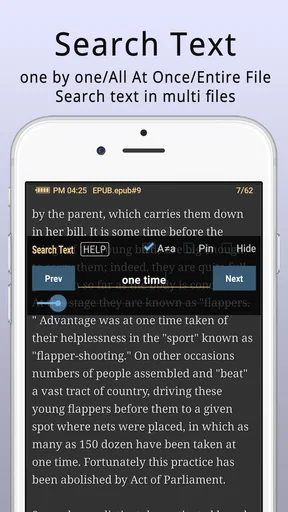
A useful habit is to make the library reflect how I actually read. I would separate ongoing comics from reference PDFs and longer text books, then use clear folder names instead of relying on memory. That small bit of housekeeping becomes more valuable as a collection grows: it reduces the time spent searching and makes it easier to pick a file when I have only a minute to spare. Search helps, but good organization is a more reliable fallback if titles are named inconsistently.
There is a practical screen-size trade-off, too. A phone is convenient for carrying a reading collection, but a densely lettered comic page or a document with small print can demand repeated zooming. Pinch-to-zoom is useful for inspecting details, though it is not a substitute for a larger display when the layout itself is cramped. I would choose a tablet or another reader with a larger screen for long sessions involving detailed pages, and keep the phone for portability and shorter visits.
Getting ready for interruptions
When reading depends on files being available, recovery is mostly about a sensible routine rather than expecting the app to solve every network problem. Before a trip, I would open the next item while I still have a stable connection if it lives in a network-dependent location, and check that it loads as expected. If it does not, I would resolve access to the file first instead of troubleshooting the reading controls. That simple distinction helps separate a file-access issue from an app issue.
For a file that is already available, I would also avoid making a long reading session depend on perfect conditions. Keep the material organized, know where the source file is, and return to it through the library if something goes wrong. This is not glamorous advice, but it is more useful than assuming every reader handles every source location the same way. The app’s job is to display the material; the location and availability of that material remain part of the workflow.
Arar’s flexibility has a corresponding setup cost. A reader that works with different formats is only as tidy as the collection you give it, and a cluttered folder can make choosing a book feel like admin. I would not recommend it to someone who wants an app to curate a comics queue, synchronize a service library, or make file management invisible. If I want those conveniences more than format flexibility, a dedicated reading service is likely a better fit.
Making the most of a data-conscious routine
For anyone watching mobile data use, the key question is not simply which reader is installed; it is where the files are coming from. I would use a trusted connection to obtain or place the material I plan to read, then confirm that it is ready before relying on it away from that connection. I would also be selective about moving large collections over mobile data when I can prepare them another way. That is a general file-management choice, not a claim about a special data-saving mode.
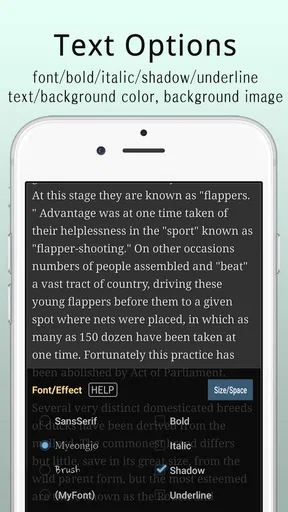
Brightness and background adjustments are worth setting before settling in, especially if I move between a bright room and evening reading. That can make a short session more comfortable without needing to change the file itself. For comics, I would test a page with fine lettering before committing to a long chapter; for an EPUB or text document, I would check a few paragraphs to see whether the chosen display feels easy to follow. A quick check early can prevent constant fiddling later.
Arar is a paid app, priced at $4.49, so I would weigh that one-time purchase against how often I expect to use its mixed-format approach. Its Everyone age rating makes it suitable for a broad audience, but the content a reader opens still depends on the files in its library. It has a 4.8 average from around two thousand ratings and over ten thousand installs, which suggests that it has found an audience among people looking for this kind of reader; those figures are context, not a guarantee that its workflow will suit everyone.
A flexible reader for people who bring their own library
The app has been around since March 7, 2013, and its current version is 2.16.5, with Android 7.0 as the minimum operating system. I would consider that longevity and compatibility information when deciding whether it belongs on an older device, while still checking that the version available for my own platform matches my needs. The developer is 마루치아라치, and the app’s focus remains straightforward: reading material rather than discovering a catalogue of titles.
Features That Stand Out
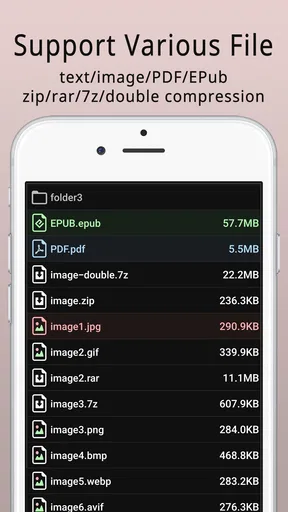
One thing that I really liked is how versatile this app is. It's not just for comics; you can also use it as a text reader. This dual functionality means you can switch between your favorite manga and that e-book you’ve been meaning to finish. The app supports a wide variety of file formats, so you don’t have to worry about file compatibility issues. Whether it's PDF, EPUB, or ZIP, Arar - ComicViewer/TextReader has got you covered.
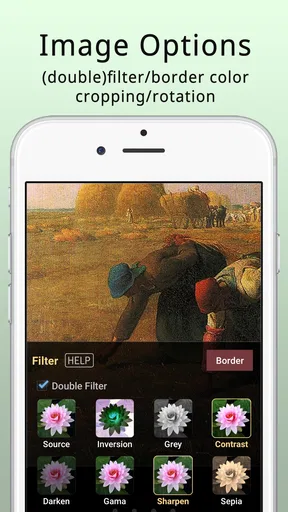
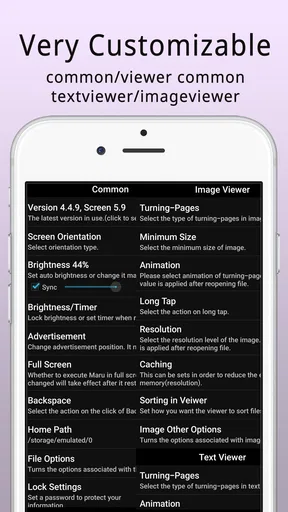
Another feature worth mentioning is the customizable reading experience. You can adjust the brightness, switch between different reading modes, and even change the background color. This is super handy for those late-night reading sessions when you don’t want to strain your eyes.
User Experience
Using the app feels intuitive. Loading times are fast, and I didn’t experience any lag, even with larger files. The pinch-to-zoom feature works smoothly, which is crucial when you’re trying to catch those tiny details in your favorite graphic novels. The app’s performance on both Android and iOS was consistent, which is a big plus in my book.
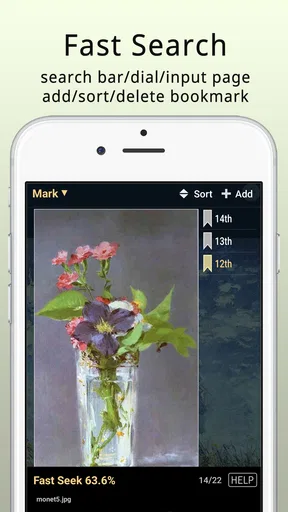
Adding and organizing your library is also a piece of cake. You can create folders and sort your files however you like. The search function is efficient, making it easy to find specific titles without having to scroll endlessly.
Why You Should Consider It
If you’re someone who loves to read on the go, this app is a must-have. It combines functionality with ease of use, making it suitable for both hardcore comic fans and casual readers. The ability to handle multiple file types means you won’t need separate apps for comics and text, which is a nice way to save some space on your device.
Moreover, the app continuously receives updates, which means the developers are actively working to improve the user experience. This is always a good sign as it shows that they care about their community and are open to feedback.
Final Thoughts
All in all, Arar - ComicViewer/TextReader is a solid choice for anyone looking to consolidate their reading apps. It’s versatile, user-friendly, and performs well across devices. Whether you’re diving into the latest comic series or catching up on your text documents, this app makes the process seamless and enjoyable.
So, if you’re ready to enhance your reading experience, give it a try. You might just find yourself spending a few extra hours immersed in your favorite stories. Happy reading!
Verdict
Strengths of Arar - ComicViewer/TextReader
- User-friendly interface with intuitive navigation.
- Supports multiple file formats for versatility.
- Quick loading times for large files.
- Customizable reading settings enhance experience.
- Offline reading mode available for convenience.
Limitations of Arar - ComicViewer/TextReader
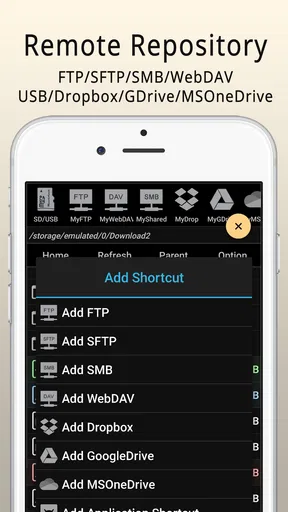
- Limited cloud storage integration options.
- No annotation features for note-taking.
- Ads can be intrusive without premium upgrade.
- Occasional crashes on older devices.
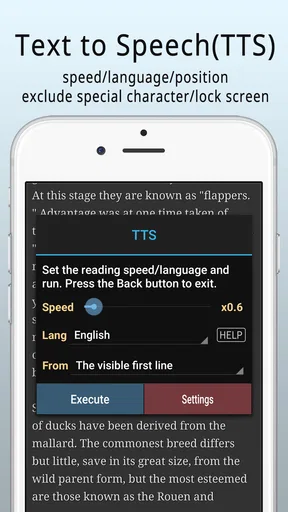
- Limited text-to-speech functionality.
Similar Picks in This Category
View All
WEBTOON: Manga, Comics, Manhwa
NAVER WEBTOON4.6

MangaToon: Comic & Manga
MangaToon4.3

네이버 웹툰 - Naver Webtoon
NAVER WEBTOON4.3

Tapas – Comics and Novels
Tapas Entertainment Inc.4.2

Lezhin Comics - Daily Releases
LEZHIN ENTERTAINMENT3.3

WebComics - Webtoon & Manga
WEBCOMICS HOLDINGS HK LIMITED4.4
Frequently Asked Questions
What is Arar - ComicViewer/TextReader primarily used for?
Arar - ComicViewer/TextReader is designed for comic enthusiasts and avid readers who want a seamless way to view comics and read text files on their mobile devices. The app supports a variety of formats, including CBR, CBZ, and PDF, making it versatile for different reading needs. Its intuitive interface enhances the reading experience with easy navigation and customization options.
What file formats are supported by Arar - ComicViewer/TextReader?
The app supports multiple file formats, including CBR, CBZ, PDF, TXT, and more. This wide range of compatibility ensures that users can access and read their favorite comics and text files without needing to convert them into different formats. The app's flexibility makes it a convenient choice for diverse reading material.
Does Arar - ComicViewer/TextReader offer any customization features?
Yes, Arar provides several customization options to enhance the reading experience. Users can adjust brightness, change background colors, and choose different reading modes such as single page or continuous scroll. These features allow readers to tailor the app to their personal preferences, ensuring comfort during long reading sessions.
Is there a way to organize my library within Arar - ComicViewer/TextReader?
Absolutely, the app includes library management features that let users organize their collections efficiently. You can sort comics and text files into different categories, create playlists for easy access, and use search functions to quickly find specific titles. This organization helps in maintaining a tidy and easily accessible reading library.
Are there any in-app purchases or ads in Arar - ComicViewer/TextReader?
While Arar offers a free version with basic features, it may include ads that support its development. For an ad-free experience and access to premium features, users can opt for in-app purchases. These purchases often add value by providing enhanced functionalities, making them worthwhile for dedicated users.
